
Free trial paywall in Jetpack Compose
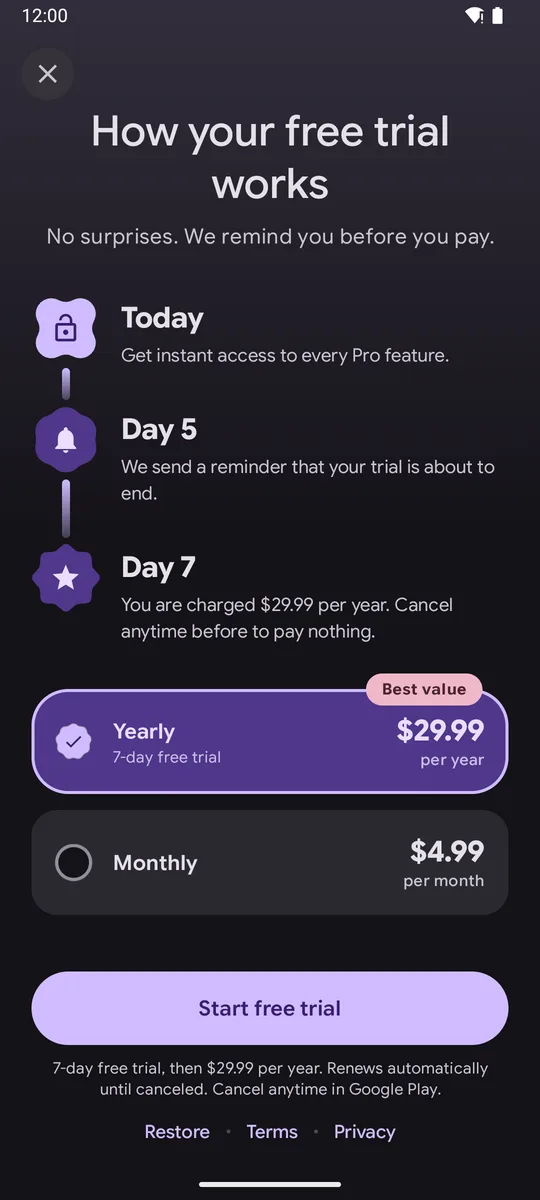
Short answer: show the trial as three steps: today (full access), a reminder a couple of days before the end, and the day billing starts with the exact price. Put the trial terms in the disclosure under the button, and make the button say “Start free trial” only when the selected plan really has one.
Why a timeline works
Section titled “Why a timeline works”A free trial asks the user to trust you with a future charge. Showing the reminder and the billing day turns a vague risk into a clear plan. It is also what Google Play’s policy asks for: the trial length, when it converts, the price after it and how to cancel, before signup. See the requirements.
With plain Compose
Section titled “With plain Compose”A timeline is a Column of rows. Each row has an icon node with a vertical line under it, and
text to the right. Give the row Modifier.height(IntrinsicSize.Min) so the line can fill the
height of the text with Modifier.weight(1f).
With M3 Expressive Paywall
Section titled “With M3 Expressive Paywall”TrialTimelinePaywall( plans = listOf(Sample.yearly, Sample.monthly), legal = Sample.legal, onPurchase = buy, onRestore = restore, onClose = close,)The default steps come from the first plan with a trialText. For a different trial length:
TrialTimelinePaywall( plans = listOf(Sample.yearly.copy(trialText = "14-day free trial")), legal = Sample.legal, onPurchase = buy, onRestore = restore, onClose = close, steps = defaultTrialSteps(Sample.yearly, trialDays = 14, reminderDay = 12),)Or write your own copy:
val steps = listOf( TrialStep("Today", "Every Pro feature unlocks right away.", PaywallIcons.LockOpen), TrialStep("Day 5", "We email you a reminder. No surprise charges.", PaywallIcons.Bell), TrialStep("Day 7", "Your plan starts at ${Sample.yearly.price} ${Sample.yearly.period}.", PaywallIcons.Calendar),)TrialTimelinePaywall( plans = listOf(Sample.yearly, Sample.monthly), legal = Sample.legal, onPurchase = buy, onRestore = restore, onClose = close, steps = steps,)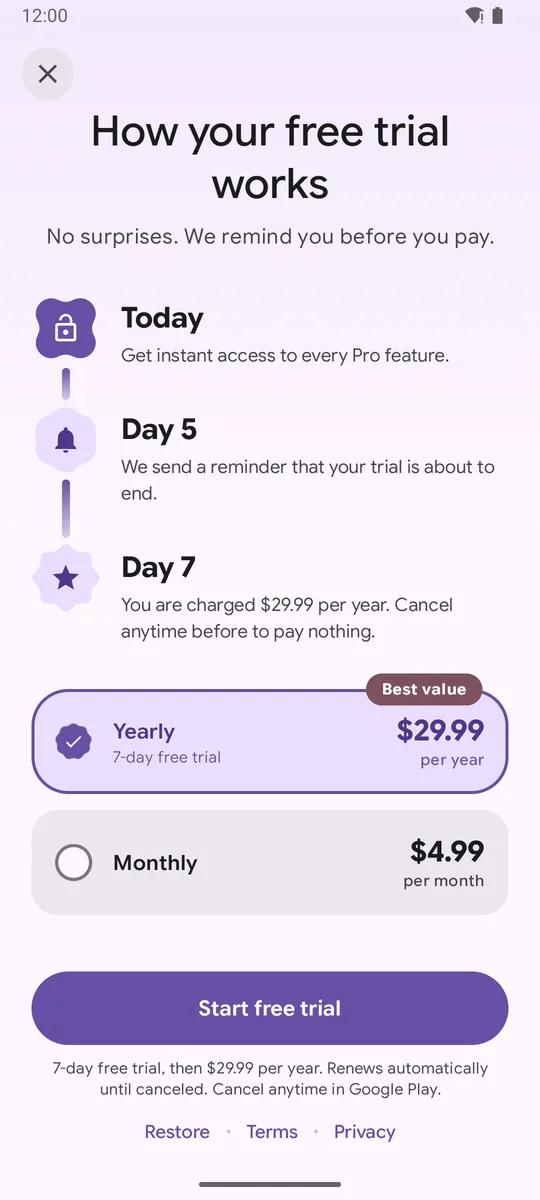
- Keep the reminder honest: if the timeline says Day 5, send it on day 5.
- Use the same trial length everywhere: Play Console,
trialTextand the timeline. - Pair the trial plan with a plan that has no trial, so users can pay right away if they prefer.
Related
Section titled “Related”FAQ
Why show a trial timeline?
It answers the biggest worry about free trials - "will I be charged by surprise?" - by showing when the user is reminded and when billing starts. Google Play also requires the trial length, conversion date, price and cancellation info before signup.
Does the timeline send the reminder?
No. The timeline only describes it. Schedule the reminder yourself, for example with WorkManager or a server push, two days before the trial ends.
What if the user picks a plan without a trial?
TrialTimelinePaywall fades the timeline and the button changes from Start free trial to Continue, so the screen never promises a trial the selected plan doesn't have.
Try it in your app
Add the library (JitPack, minSdk 26), then follow Getting started.
implementation("com.github.sanikantv:m3-expressive-paywall:v1.0.0")⭐ If this guide helped, star M3 Expressive Paywall on GitHub. It helps other Compose developers find it.
Built by Sanikant. Set in Google Sans Flex (SIL Open Font License). Not affiliated with Google.