
Countdown timer in Jetpack Compose
Short answer: store the end time as a timestamp, and use produceState to compute the
remaining milliseconds once per second, aligned to the second boundary. Format it as mm:ss and
feed remaining / total into LinearWavyProgressIndicator, animated so it glides between ticks.
The timer state
Section titled “The timer state”/** Milliseconds left until [endsAtMillis], updated once per second, never below zero. */@Composablefun rememberRemainingMillis(endsAtMillis: Long): State<Long> = produceState(initialValue = (endsAtMillis - System.currentTimeMillis()).coerceAtLeast(0L), endsAtMillis) { while (value > 0L) { val now = System.currentTimeMillis() value = (endsAtMillis - now).coerceAtLeast(0L) delay(1_000 - now % 1_000) // tick on the second boundary } }Three details make this robust:
- It reads the clock instead of subtracting one each second, so it never drifts.
delay(1_000 - now % 1_000)lines ticks up with real seconds, so the display never skips a number.- It stops at zero; the
whileends and no coroutine keeps running.
The UI with a wavy progress bar
Section titled “The UI with a wavy progress bar”@Composablefun OfferCountdown(endsAtMillis: Long, totalMillis: Long) { val remaining by rememberRemainingMillis(endsAtMillis) val seconds = remaining / 1_000 val fraction by animateFloatAsState( targetValue = (remaining.toFloat() / totalMillis).coerceIn(0f, 1f), animationSpec = tween(1_000, easing = LinearEasing), // glide between ticks label = "offerProgress", ) Column { Text( "%02d:%02d".format(seconds / 60, seconds % 60), style = MaterialTheme.typography.displaySmall, ) LinearWavyProgressIndicator(progress = { fraction }, modifier = Modifier.fillMaxWidth()) }}animateFloatAsState with a 1-second linear tween makes the bar move smoothly instead of jumping once per tick.
Ready-made: LimitedOfferSheet
Section titled “Ready-made: LimitedOfferSheet”The limited-time offer sheet wraps this pattern in a paywall, with the discount, struck-through price and Google Play disclosure:
// LimitedOfferSheet takes a material3 SheetState, which material3 marks experimental.@OptIn(ExperimentalMaterial3Api::class)@Composablefun OfferScreen(buy: (PaywallPlan) -> Unit, restore: () -> Unit) {    var showOffer by rememberSaveable { mutableStateOf(true) }    // Keep the deadline stable. In a real app, store it (e.g. in DataStore) so it survives restarts.    val endsAt = remember { System.currentTimeMillis() + 15 * 60_000L }
    if (showOffer) {        LimitedOfferSheet(            plan = Sample.yearly.copy(                price = "$14.99",                trialText = null,                priceDetail = "First year only, then $29.99 per year",            ),            originalPrice = "$29.99",            discountLabel = "-50%",            offerEndsAtMillis = endsAt,            offerDurationMillis = 15 * 60_000L,            legal = Sample.legal,            onPurchase = buy,            onRestore = restore,            onClose = { showOffer = false },        )    }}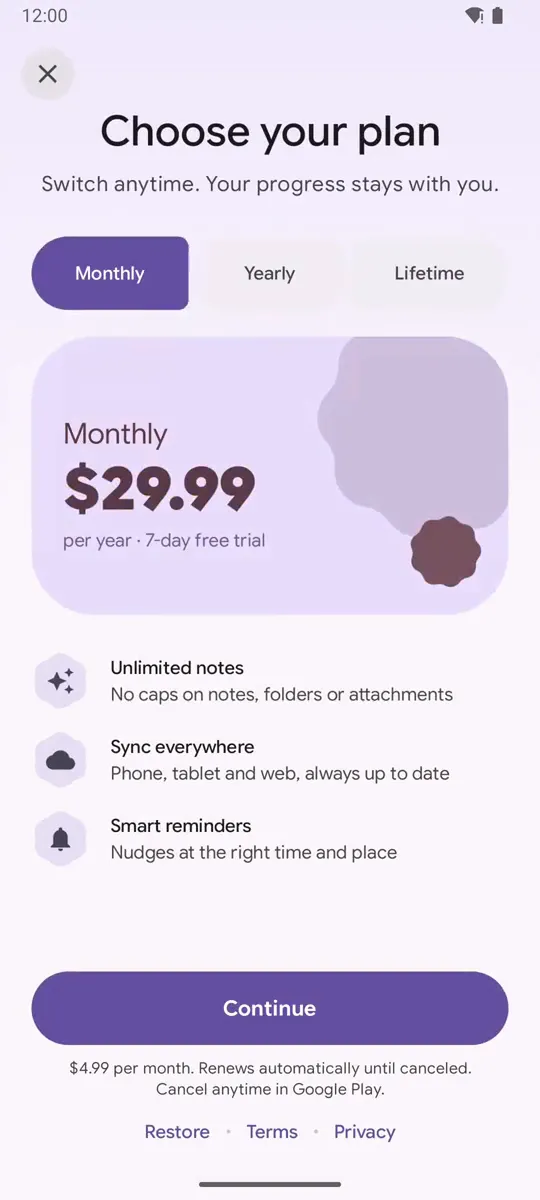
Common mistakes
Section titled “Common mistakes”- Fake deadlines. Resetting the timer on every launch creates false urgency, which consumer protection rules forbid. Store the real end time, for example in DataStore.
- Reading time in composition. Calling
System.currentTimeMillis()directly in a composable doesn’t trigger recomposition. Keep it inside the state producer. - Screen readers. A number changing every second is noisy. Give the timer one content description, such as “Offer ends in 12 minutes 30 seconds”.
Related
Section titled “Related”FAQ
Why produceState instead of a LaunchedEffect and mutableStateOf?
produceState is the same idea in one call - a coroutine that writes to State - and it restarts automatically when its key (the end time) changes.
Why compute from an end timestamp instead of counting down from 15 minutes?
A fixed end time stays correct after recomposition, configuration changes and process death (if you store it). Counting down from a duration drifts and resets.
Which material3 version has LinearWavyProgressIndicator?
It is part of the Material 3 Expressive APIs in androidx.compose.material3 1.5.0 (this site uses 1.5.0-beta02) and needs ExperimentalMaterial3ExpressiveApi opt-in.
Try it in your app
Add the library (JitPack, minSdk 26), then follow Getting started.
implementation("com.github.sanikantv:m3-expressive-paywall:v1.0.0")⭐ If this guide helped, star M3 Expressive Paywall on GitHub. It helps other Compose developers find it.
Built by Sanikant. Set in Google Sans Flex (SIL Open Font License). Not affiliated with Google.