
Plan picker paywall with a button group for Jetpack Compose
PlanPickerPaywall is design 4 of M3 Expressive Paywall. The most “Expressive” of the six. A connected button group switches plans; the spotlight card below morphs between MaterialShapes, changes color and rolls the price with AnimatedContent.
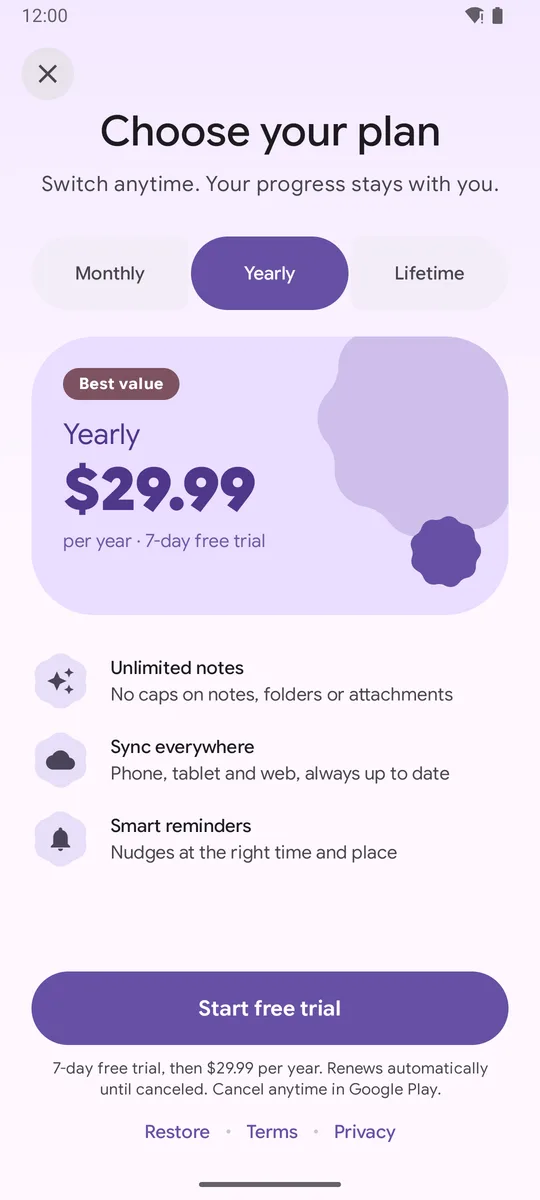
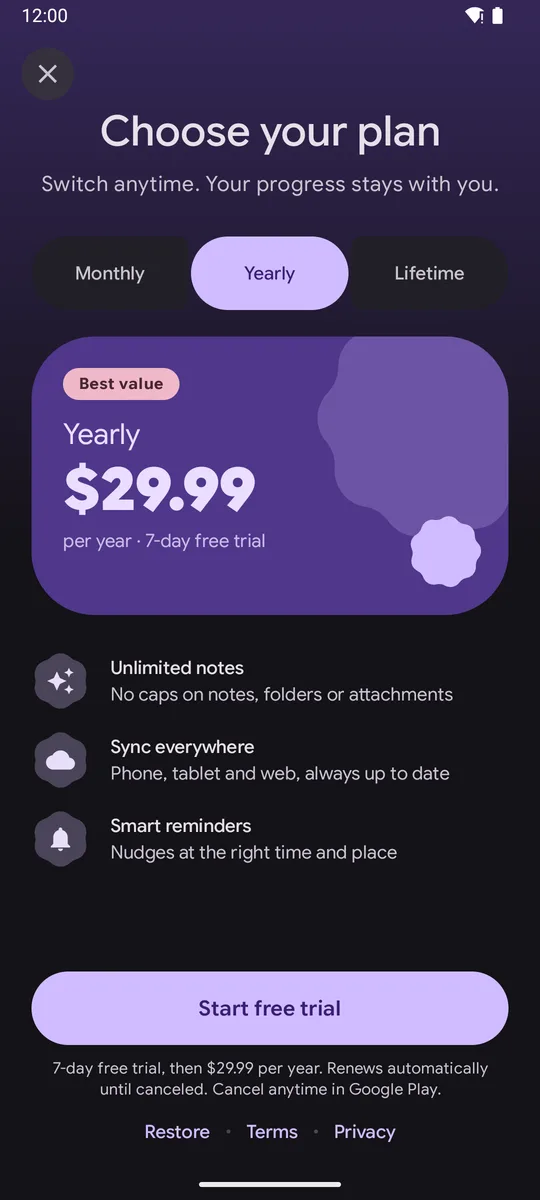
implementation("com.github.sanikantv:m3-expressive-paywall:v1.0.0")When to use it
Section titled “When to use it”- You have two to four plans with short names.
- You want the paywall itself to feel like a showcase of Material 3 Expressive.
PlanPickerPaywall( plans = Sample.plans, // 2 to 4 plans with short titles fit the button group features = Sample.features.take(3), legal = Sample.legal, onPurchase = buy, onRestore = restore, onClose = close, initialPlanId = "pro_yearly",)Parameters
Section titled “Parameters”| Parameter | Type | Default | Description |
|---|---|---|---|
plans |
List<PaywallPlan> |
required | Two to four plans. Titles appear in the buttons, so keep them short. |
features |
List<PaywallFeature> |
required | Benefits under the card. |
legal |
PaywallLegal |
required | Terms and Privacy URLs for the footer links. |
onPurchase |
(PaywallPlan) -> Unit |
required | Called with the selected plan when the button is tapped. Start your billing flow here. |
onRestore |
() -> Unit |
required | Called from the Restore link. |
onClose |
() -> Unit |
required | Called from the close button. |
modifier |
Modifier |
Modifier |
Applied to the paywall’s root. |
title |
String |
“Choose your plan” | Headline. |
subtitle |
String? |
“Switch anytime. Your progress stays with you.” | Line under the headline. |
initialPlanId |
String? |
null |
Plan to preselect. |
Full signature: PlanPickerPaywall in the API reference.
Customization
Section titled “Customization”The button group uses ButtonGroupDefaults.connectedLeading/Middle/TrailingButtonShapes(). To build the same control elsewhere, read Connected button group in Jetpack Compose. The card morph is explained in Shape morphing with MaterialShapes.
Accessibility
Section titled “Accessibility”- Each toggle button has
Role.RadioButtonsemantics, because only one plan can be chosen. - Buttons are 56dp tall.
Common mistakes
Section titled “Common mistakes”- Long plan titles like “Annual subscription” get cut off in the buttons. Use “Yearly”.
- Five or more plans. Use the classic design instead.
Related
Section titled “Related”Built by Sanikant. Set in Google Sans Flex (SIL Open Font License). Not affiliated with Google.